▤
Toolchain inventory
Review build-related data from familiar ecosystems, including Xcode and package managers.
A focused toolkit for reviewing developer artifacts, understanding reclaimable space, and organizing the projects you work on. All from your Mac.
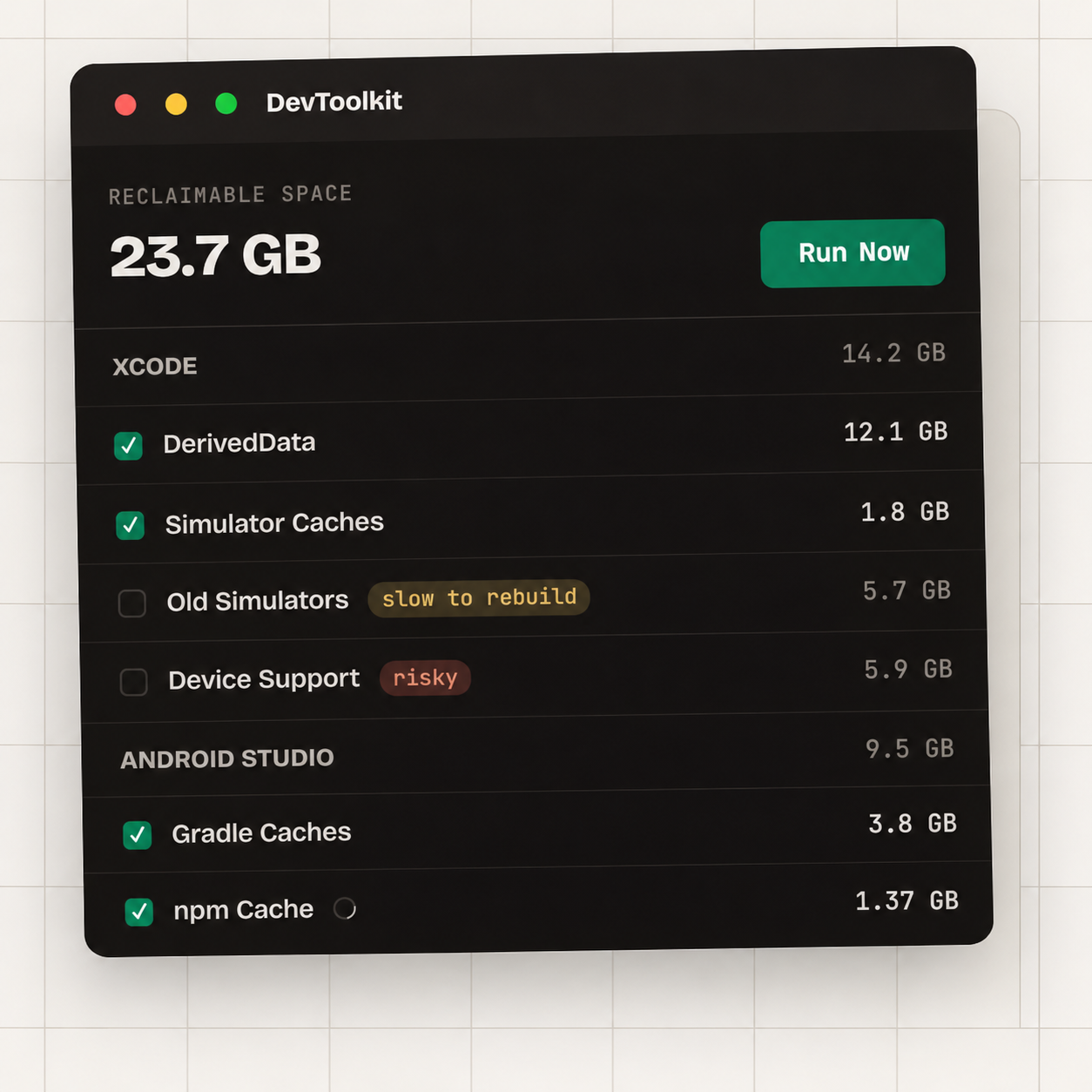
Product preview · Interface shown for visual orientation
Development tools leave a growing footprint. Mac Dev Toolkit brings supported categories into a single interface, with visibility and control over individual operations.
Review build-related data from familiar ecosystems, including Xcode and package managers.
Inspect iOS simulator devices, available runtimes, and the resources associated with testing.
Archive inactive projects and restore them when it is time to work on them again.
From Xcode's DerivedData to local package caches, development workflows create files outside your project folders. Explore those categories without hunting through the filesystem.
Know what an item belongs to before making changes to your environment.
Launch Mac Dev Toolkit on macOS and explore the available toolchain categories.
View categorized developer artifacts, simulator devices, or projects in one place.
Select an operation with visibility into the category and its associated risk level.
Keep the workflows you rely on close at hand, from toolchain data to project archives.